Meta Ad Compliance
for Restricted Brands
Learn how Meta ad reviews work, how to diagnose why ads are rejected, and how to separate ad issues from website-domain issues.
Summary
What this page covers
For most advertisers, getting a Meta ad approved or rejected feels more like an art than a science. This guide is meant to demystify the process, and help you prevent ad rejections.
This page covers how Meta reviews ads, why rejections occur, and how to evaluate risk before repeated disapprovals compound. After reading, you should know what is happening, why it is happening, where to look to confirm it, and how bad it is. The goal is to help you identify what is driving rejections and when to pause high-risk creative before it damages account health.
Mechanics
How Meta ad reviews work
What Meta says
Ads are reviewed against Meta's advertising standards. If rejected, advertisers can often request a review.
What typically happens
- Initial approval/rejection decisions are made by automated review systems.
- Meta's automated review systems scan your ad copy, visual content, and destination webpage for compliance violations.
- A rejected ad will trigger an Ads Manager error and an email to the account holder.
- Rejected ads can be appealed to Meta for a human review.
- The rejection reason shown is useful, but not always fully diagnostic on its own.
- Ad copy, on-creative text, and visual context all contribute to outcomes.
- Modern ads often contain multiple creative variations, so it can be challenging to identify the root cause of a rejection.
Ad Policies
How ad policy and website review interact
Meta's Health/Wellness policy is published for ad approval and covers areas like age targeting (18+) and how weight-loss/cosmetic content can be depicted: Meta policy — Health and wellness.
Meta's public policy for drug-related categories is published under Drugs/Pharmaceuticals: Meta policy — Drugs & Pharmaceuticals.
Note that website/domain review is often stricter than ad-level review and does not have clear guidance. A clean ad can still run into issues when destination content triggers domain categorization.
Ad Policy Summary
Drugs / Hemp-CBD focus
- Don't use drug words.
- Don't show consumption.
- Don't sell directly.
- Don't go medical.
Health / Wellness focus
- Don't name conditions.
- Don't diagnose the reader.
- Keep it lifestyle-level.
- Avoid making medical claims.
Triggers
Common ad enforcement triggers
Hemp/CBD enforcement triggers
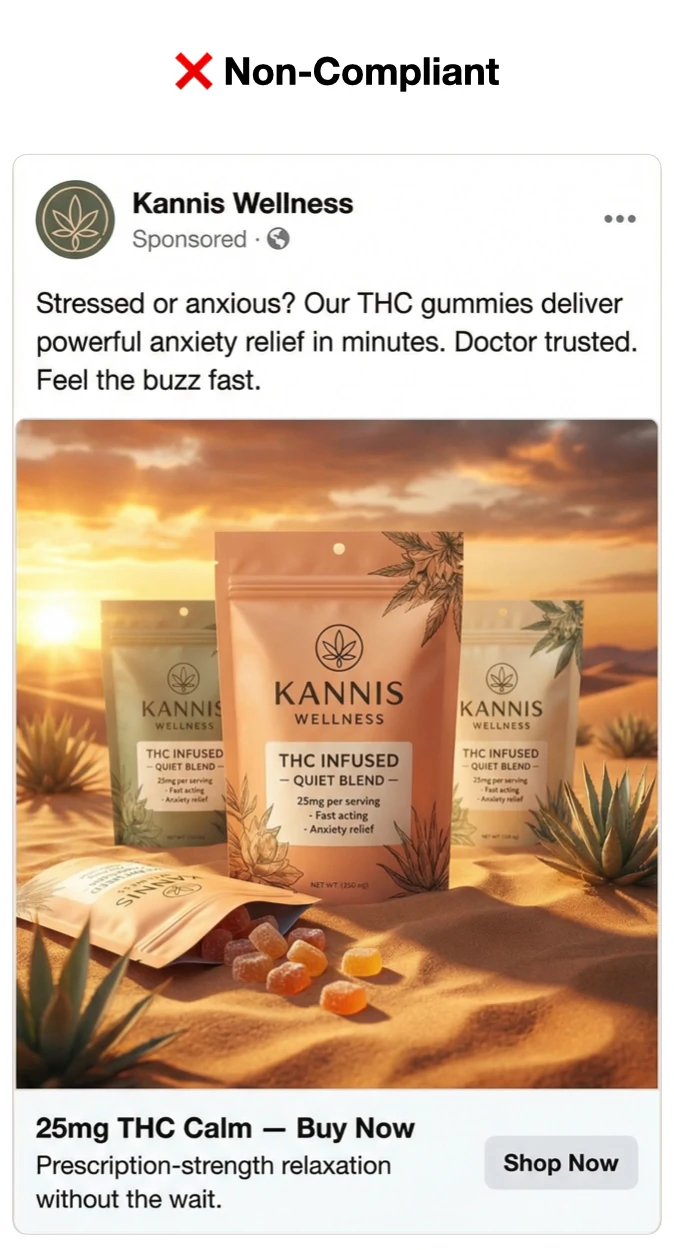
- Restricted substance keywords and dosage language (e.g., THC/CBD + mg terms).
- Consumption cues (smoking, drinking, gummies in-mouth, etc.).
- Medical framing (doctor-trusted, prescription-like, treated-condition language).
- Direct purchase pressure paired with restricted substance framing.
Health/Wellness enforcement triggers
- Condition keywords and diagnosis framing (e.g., menopause, anxiety, disease terms).
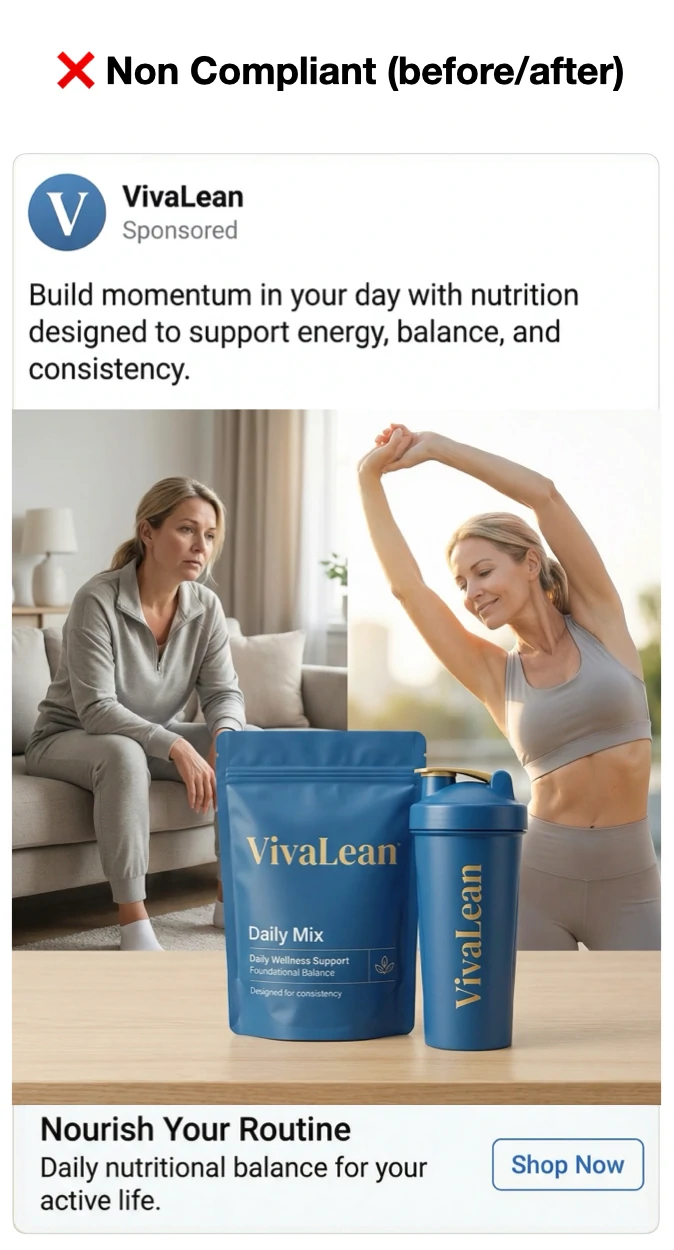
- Before/after or symptom-problem imagery.
- Guarantees and clinical certainty claims.
- Personal attribute framing that implies the user has a condition.
Checklist
How to check (diagnostic checklist)
-
Start with the rejection reason shown in Ads Manager.
Use the shown reason as your starting point, then quickly label it as one of these: condition/medical claim, restricted substance, consumption cue, personal attribute, or destination mismatch.
-
If it looks borderline or wrong, request review.
Treat first-pass outcomes as automated. Keep a simple note of which rejections are reversed after review.
-
Review Account Quality weekly and keep policy emails.
Use Account Quality to spot repeated rejection patterns, and use policy emails to keep timeline context on what changed and when.
UI paths to use
- Ads Manager: ad-level status, review outcomes, and disapprovals.
- Business Manager → Account Quality: business.facebook.com/accountquality
- Policy emails: account admin inbox for rejection/review notifications.
Examples
Three Clear Brand Examples
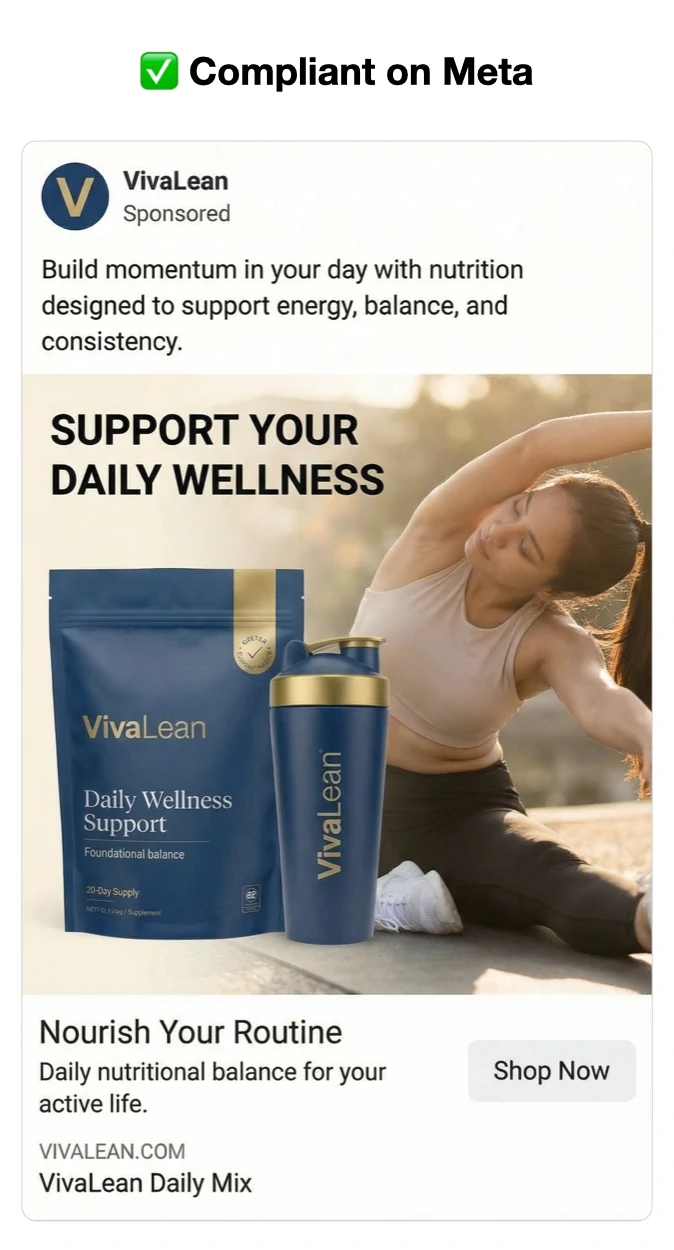
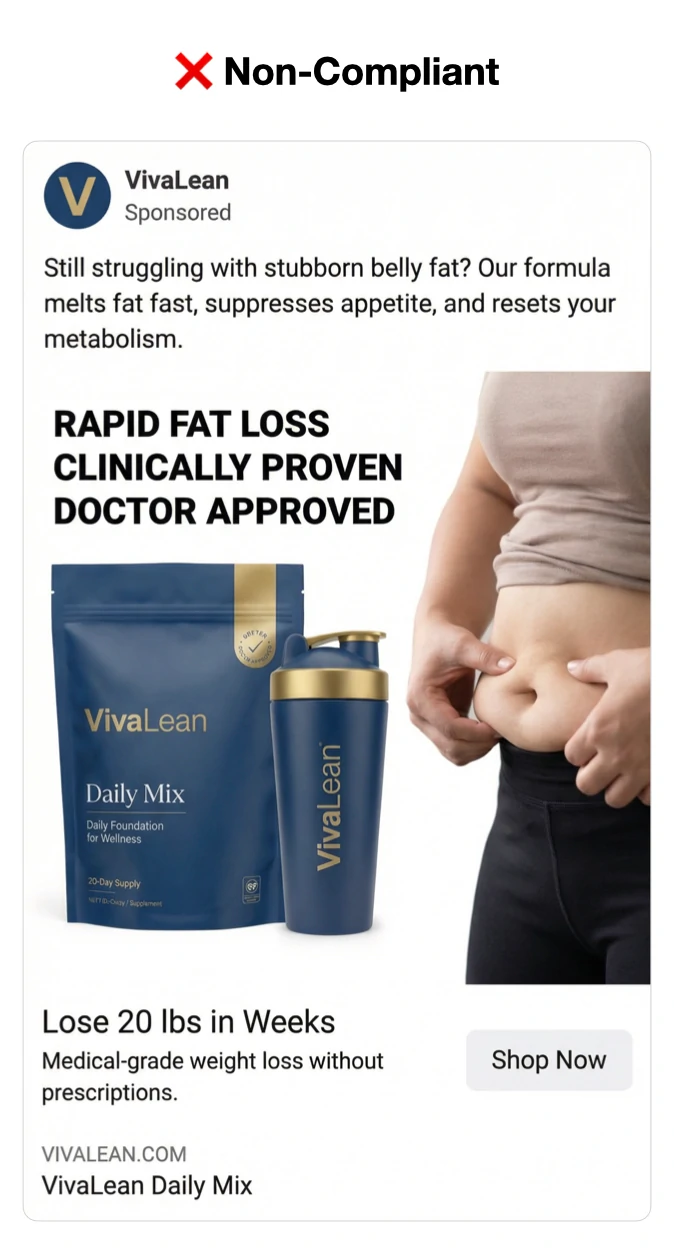
Each brand includes three variants: clearly non-compliant, clearly compliant, and subtle non-compliant.
Use these as pattern-recognition drills: if your ad starts to resemble the non-compliant or subtle non-compliant card, treat it as elevated rejection risk and review before scaling.
Brand 1: VivaLean (weight-loss)
VivaLean is a weight-loss supplement brand. The core diagnostic question is whether the ad reads like general wellness support, or like a direct medical/outcome promise.
- Start by checking for explicit fat-loss, appetite, and medical-certainty language.
- Then check the visual context for before/after implications, even when copy appears cleaner.
- Use compliant examples as your baseline and subtle examples as your stress test.
Clearly non-compliant
Clearly compliant
Subtle non-compliant
Brand 2: Kannis Wellness (hemp-derived THC)
Kannis is a hemp-derived THC brand. The key is distinguishing lifestyle positioning from restricted substance and consumption signals.
- Flag explicit THC/CBD dosage, relief outcomes, and direct buy pressure first.
- Then inspect imagery for consumption cues that can trigger rejection on otherwise cleaner copy.
- Treat subtle consumption visuals as high-priority edits before scaling spend.
Clearly non-compliant
Clearly compliant
Subtle non-compliant
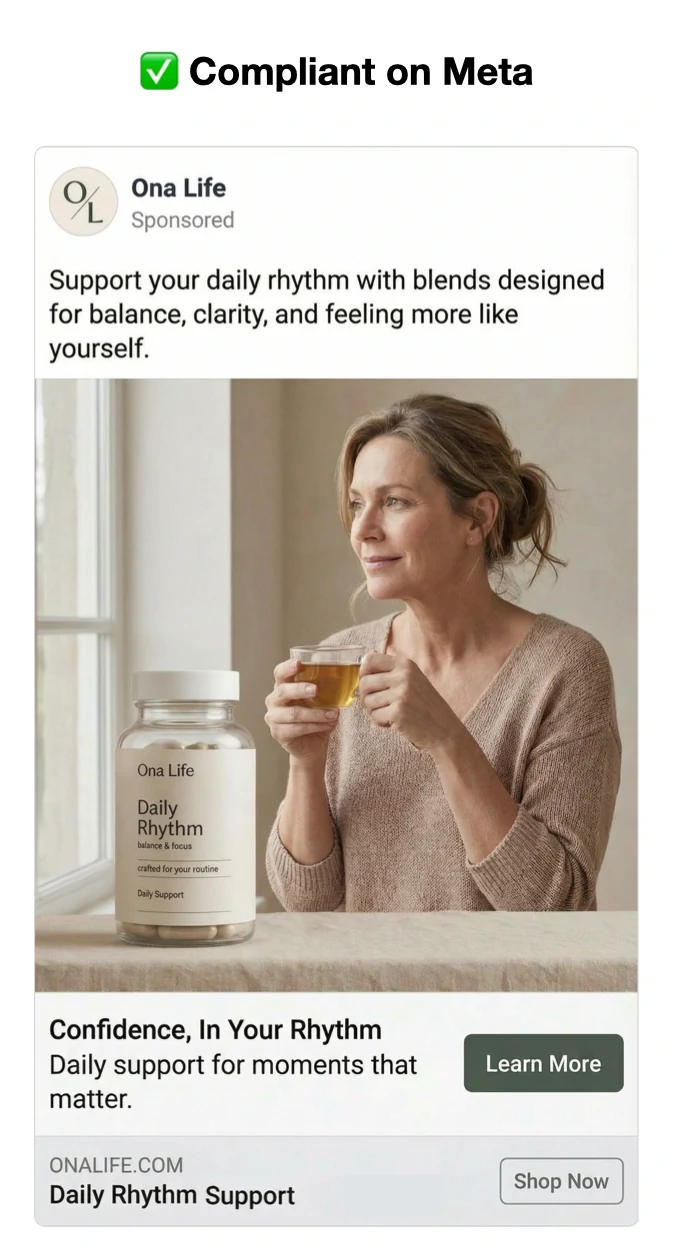
Brand 3: Ona Life (women's health)
Ona Life is a women's health supplement brand. The compliance line is usually crossed when copy shifts from support language into condition-specific diagnosis or treatment framing.
- Identify condition keywords and symptom-reversal phrasing first.
- Confirm the ad does not imply prescription-grade outcomes or medical treatment.
- Use the subtle example to train your team on keyword-level risk that can be easy to miss.
Clearly non-compliant
Clearly compliant
Subtle non-compliant
Managing Risk
Ad risk rubric
- Low risk: likely approval rate around 90–100%.
- Moderate risk: likely approval rate around 80–89%.
- High risk: likely approval rate below 50% (more likely rejected than approved).
Strong Recommendation: don't publish high-risk ad concepts. Repeat ad rejections will lead to account bans.
Notes
Notes / disclaimers
- Meta enforcement is partially opaque. Treat these as diagnostic suggestions, not guarantees.
- Initial reviews are often automated; “Request review” can escalate to human review.
- If you're seeing multiple warning signals, you are not alone.
- Use this page for diagnosis, then track ratio of approvals vs rejections weekly in Account Quality.